ZCode from Z.ai: testing the desktop harness for GLM 5.3
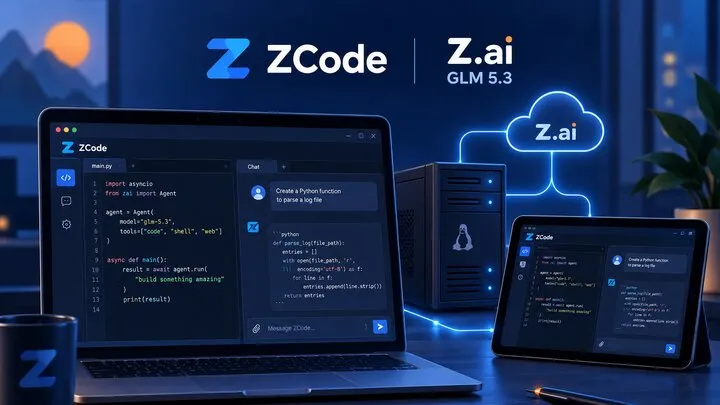
In short: As of September 27, 2026, ZCode is Z.ai’s official desktop harness for GLM 5.3 and GLM 5.3 Flash: an Electron ADE now open source, with no LSP and no VS Code extensions, remarkable for driving agents remotely. Test it before October 7: during the promo, Flash is unlimited there from 11 p.m. to 9 a.m. Singapore time — 5 p.m. to 3 a.m. in Paris. An IDE companion, not a replacement.
10:30 p.m. From my Android tablet, I restart a refactoring session in the browser. It runs on my Linux server, and the interface I am using is one I compiled myself from ZCode’s open-source code. While one session’s agent wraps up its tests, a second formats the summary of a call for tenders.
This scene, now routine after a few weeks, sums up the tool’s ambition: pulling the AI agent out of the IDE to turn it into a delegable collaborator you can drive from anywhere. Here is my assessment after daily use — features, models, competitors, the September controversy, and the promo ending on October 7, 2026.
What is ZCode, and what do you use it for day to day?
ZCode is Z.ai’s official harness for its GLM 5.3 and GLM 5.3 Flash models. Launched in July 2026 and shipped as version 3.14.3 for macOS, Windows, and Linux (beta), it presents itself as an “Agentic Development Environment” (ADE): an Electron application that hosts agents rather than a code editor.
That is the finding of Flavio Copes’s independent test: ZCode is not a VS Code fork and embeds no traditional editor. You describe tasks; the agent executes them — file reads, commands, Git operations — under one of the four permission modes (Ask, Edit automatically, Plan, Full access).
My test context: the desktop app on my laptop, plus remote sessions on that server that I check from the tablet through the web interface compiled from the sources. Day to day, ZCode replaces my “second brain” more than an IDE: long refactors, tech monitoring, document preparation, server checks.
What do the “code” and “work” modes offer?
Two distinct environments, introduced with version 3.14.0 on September 19, 2026: the official changelog added switching between “Office” and “Coding” modes — “code” and “work” in the application. Each keeps its own screens, history, and agents.
The code mode: an agent in a real desktop
The code mode gives the agent a complete environment: terminal, files, Git, browser. I hand it multi-file refactors, test writing, or log diagnosis; it proposes a plan, asks for validation, then executes. Permission modes make supervision gradual: “Ask” on an unfamiliar project, “Full access” on well-scoped repetitive tasks.
The work mode: an agent desk like ChatGPT or Kimi
The work mode targets office work: documents, spreadsheets, summaries, monitoring. This mirrors the positioning of general-purpose agent desks like ChatGPT or Kimi, transposed into Z.ai’s desktop with the GLM models. I mostly use it to turn raw notes into structured proposals and to summarize heterogeneous sources.
Built-in browser and plugin marketplace
The application embeds a browser, up to the “remote built-in browser” of version 3.14.0: the agent navigates, fills in forms, takes screenshots. An important nuance: reading the captures relies on GLM 5.3 Flash, which is natively multimodal — GLM 5.3 itself remains a text-only model. On the extension side, the official marketplace is served from GitHub and preloads the Claude Code one: any plugin with a .claude-plugin/plugin.json manifest installs. A remarkably effective adoption shortcut.
Is GLM 5.3 Flash really better than GLM 5.2?
According to Z.ai, yes — and these are self-reported figures, not independent measurements. The GLM 5.3 announcement claims +50% on the internal Z.ai Code Bench benchmark and 88.2 on Terminal Bench 2.1 versus 81.0 for GLM 5.2; the GLM 5.3 Flash announcement shows 63.4 on DeepSWE v1.1, versus 46.2. No SWE-bench score has ever been published for GLM 5.3: be wary of tables that attribute one to it.
Two differences matter more to me than the scores. First, the economics: through the API, Flash costs $0.15 per million input tokens and $0.50 per million output tokens, roughly ten times less than GLM 5.3 ($1.40/$4.40), with three times the usable quota on the coding plan. Second, multimodality: Flash reads text, images, and video, which GLM 5.3 cannot do. On my real tasks, the experience lives up to the promises.
ZCode versus Claude Code, Codex, Cursor, and OpenCode?
ZCode occupies a niche of its own, the agent desktop without an editor, while Claude Code, Codex CLI, and OpenCode remain terminal harnesses and Cursor a true IDE.
| Tool | Interface | LSP / diagnostics | Extensions | License |
|---|---|---|---|---|
| ZCode | Electron desktop | None (inert field) | Claude Code plugins | Apache-2.0 |
| Claude Code | TUI, desktop, web | Via IDE pairing | Plugins and skills | Proprietary |
| Codex CLI | Rust terminal | Addable via MCP | Marketplace | Apache-2.0 |
| Cursor | VS Code-compatible IDE | Native | VS Code extensions | Proprietary |
| OpenCode | TUI, desktop, IDE | Native (opt-in) | Multi-provider | MIT |
Where the polished desktop wins
The experience feels more like a finished product than the competition: built-in browser, office-focused work mode, preloaded marketplace, and mobile remote control through a “bot channel” (a workspace you can drive from Telegram, Feishu, or Weixin). The entry point? A tiny icon next to the settings gear — and no mention in the official changelog: without the open repository, I would never have found it.
ZCode can also schedule work: scheduled tasks driven by local cron or free-form intervals (from minutes to years, capped at twenty per workspace), creatable straight from the chat. Add “idle-time” tasks queued for off-peak compute, with a notification when they finish, and the gap with programmable personal agents — OpenClaw, Hermes — narrows considerably.
And open-sourcing the code under Apache-2.0 changes the trust equation: I can audit what runs. For delegating long tasks and supervising them from another screen, I have not seen an equivalent this polished.
The price to pay: no built-in LSP, no VS Code-style extensions
On this front, ZCode is the most limited of the comparison. The documentation has no LSP page, and the open-source code is even more candid: the plugin manifest reserves an lspServers field that the runtime registers but never executes; my attempts to add a language server manually went nowhere. The competitors all offer a path: Cursor natively reads the diagnostics from the Problems panel, OpenCode ships a native LSP (dozens of built-in servers, disabled by default), Claude Code paired with an IDE automatically pulls language-server diagnostics, and Codex can be equipped through MCP or community bridges.
ZCode does have hooks and accepts MCP servers, but none of that amounts to an LSP: at best, a PostToolUse hook can inject a linter’s output into the model — contextualization, not a diagnostics-to-fixes loop. And while the marketplace accepts Claude Code plugins, no VS Code extension ecosystem works here. The consequence, which I accept: ZCode complements my IDE, where fine-grained editing remains; it does not replace it. On a surgical refactor guided by completion, Cursor remains ahead.
Can you drive ZCode remotely from a server?
Yes, through two paths. The official path first: the “Remote Development” documentation covers SSH to a POSIX host, WSL, and Docker, and states that file reads, commands, Git operations, and agent execution all take place in the target environment. That is the mode I use between my laptop and my server.
My setup: a remote app-server and a web UI
The second path is my own handiwork. The distributed product documents no headless mode — the term “app-server” is mine, absent from the official docs — but the open repository contains everything needed: the apps/zcode-cli CLI exposes a web interface, and a standalone server package exists. I compiled the sources on that server:
# On the server, after compiling the open repository (apps/zcode-cli):
zcode --web
# A web interface starts and an authentication token is generated.
The token lands as a cookie in the browser: from the tablet, through an SSH tunnel, I monitor and restart sessions as if I were at the keyboard. This web UI is not a documented finished product: it is a capability of the open code, and yours to maintain.
No pure TUI: the accepted limitation
A detail that irks terminal lovers: no TUI is distributed or documented in the official product. The open repository contains one (the zcode command with no arguments), but it is not offered for download. On a headless server, you are therefore left with the web UI or the remote desktop — that is the main limitation of my setup.
Does open source settle the data controversy?
Not entirely, but the response was swift. On September 18, 2026, the developer ferstar revealed that ZCode was packaging encrypted workspace archives — 313 MB, 86.6% of it .git history — and attempting to send them to an Alibaba Cloud OSS bucket; the AES-256 and RSA encryption kept the private key on Z.ai’s side, and the two settings supposed to disable everything remained ineffective.
Timeline: apologies the same evening (the “Repo Wiki” feature, enabled by default, was at fault), removal of the upload pipeline in version 3.14.0 on September 19, open-sourcing the code under Apache-2.0 on the 21st, then third-party CAICT and NSFOCUS audits concluding that the bucket was empty and no exfiltration path existed. Two gray areas remain: the company Chengming attests that six workspaces (passwords, API keys) were genuinely uploaded before the fix and is demanding answers by October 10; and nothing proves that the distributed binaries exactly match the published source, for lack of reproducible builds. My precautions: version 3.14.0 minimum, test projects without secrets, and a review of outbound traffic.
What is the offer worth during the promo, until October 7, 2026?
Until October 7, the combination of the campaign and off-peak pricing makes the offer remarkably cheap. The paid “GLM Coding Plan” starts at the Lite tier at $18 per month at list price, shown at $12.60 during the promo as of September 27: 2,000 credits per rolling 5 hours, 10,000 per week.
The “GLM-5.3-Flash Usage” campaign, from September 3 to October 7, makes Flash unlimited — zero consumption — every day from 11 p.m. to 9 a.m. Singapore time (UTC+8), that is 5 p.m. to 3 a.m. Paris time, through ZCode or AutoClaw (ZCode 3.10 minimum, paid plan required); through other agents, the quota is doubled. From September 25 to October 7, the entire day switches to the off-peak rate, that is 50% of the credits; year-round, weekends count as off-peak all day. A free “Weekend Plan” was also officially announced in late August, with no published amounts.
Three more benefits are shown in my client as of September 27 but absent from the public documentation: the exclusive use of ZCode requested for the promo, a “+150%” quota bonus through ZCode outside the window, and free quotas on the same time slots under the free plan. I do not take them for granted.
Conclusion: will ZCode survive the end of its promo?
Yes, provided it stays honest about its niche. ZCode is neither an IDE nor a universal terminal: it is the most polished delegation desktop I have tested, and the only one whose code I can audit. The unlimited Flash window closing on October 7 (5 p.m. to 3 a.m., Paris time) is the ideal opportunity to pit it against your real tasks; beyond that, Flash remains a deal at $0.15 per million input tokens.
My verdict: install it alongside your IDE, not instead of it. If the open source transparency keeps its promises after the October 10 deadline, ZCode has the makings of a long-haul tool.
Sources
- Official ZCode website
- Official ZCode changelog
- ZCode plugin documentation
- ZCode “Remote Development” documentation
- ZCode open source repository (Apache-2.0)
- Independent ZCode test by Flavio Copes
- GLM 5.3 announcement by Z.ai
- GLM 5.3 Flash announcement by Z.ai
- GLM 5.3 Flash documentation
- Z.ai model pricing
- ferstar’s revelation about the encrypted uploads
- GLM Coding Plan overview
- “GLM-5.3-Flash Usage” campaign
- Usage revision from September 25 to October 7
- Claude Code VS Code documentation
- OpenCode LSP documentation
- Codex CLI documentation
- ZCode hooks documentation
- Cursor forum: agents and LSP diagnostics
Sources consulted on September 27, 2026.
Frequently asked questions
What is ZCode?
ZCode is Z.ai's official desktop harness for the GLM 5.3 and GLM 5.3 Flash models: an Electron application presented as an "Agentic Development Environment", with code and work modes, a built-in browser, official remote access (SSH, WSL, Docker), and code released under the Apache-2.0 license.
Is ZCode free, and what does the subscription cost?
The application is free to install, but using the models requires the GLM Coding Plan (Lite tier at $18 per month) or the API. Until October 7, 2026, a campaign makes GLM 5.3 Flash unlimited every day from 11 p.m. to 9 a.m. Singapore time on a paid plan, through ZCode or AutoClaw; the exact conditions are on the official campaign page.
Is GLM 5.3 Flash better than GLM 5.2?
According to Z.ai's self-reported benchmarks, yes: Flash scores 63.4 on DeepSWE v1.1 versus 46.2 for GLM 5.2, while costing roughly ten times less through the API and offering three times the quota on the coding plan. Flash is also natively multimodal. Verify on your own tasks before deciding.
Can you run ZCode remotely on a Linux server?
Yes. The official documentation covers SSH, WSL, and Docker, with the agent executing inside the remote environment. Compiling the open-source code also yields a web interface (the `zcode --web` command) that you can open from a browser or a tablet. The distributed product includes no TUI, however, even though the open repository contains one.
Is ZCode data sent to Alibaba servers?
A real September 2026 incident showed that ZCode was uploading encrypted workspace archives, Git history included, to Alibaba Cloud OSS. The issue was fixed in version 3.14.0, the code was opened under Apache-2.0 and audited by third parties; your prompts still pass through Z.ai's servers.